The LWTV Calendar is powered by a third party service called TVMaze. We have an account and add shows to our ‘following’ list, which we use to generate a new calendar daily. The calendar is saved as an ics file and called by a fancy parser to make it pretty.
Adding Shows
Log in to TVMaze and search for the show you’re adding (in this case, it’s The Ghost and Molly McGee)
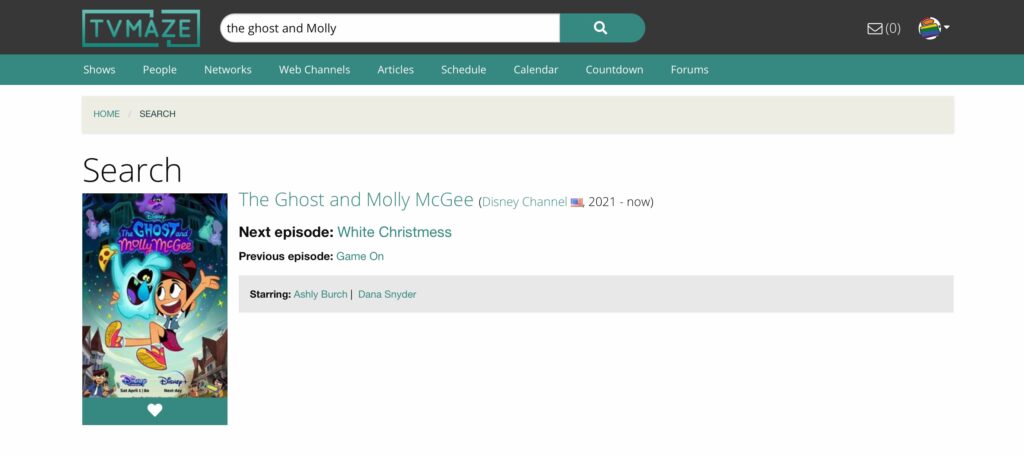
Notice the little white heart? Click that to add the show to favourites.
The next time the calendar is imported (daily at 1am ET) Molly and Scratch will show up!
When A Show Isn’t Linked
Properly, every show on the calendar should have a link to the show’s page.
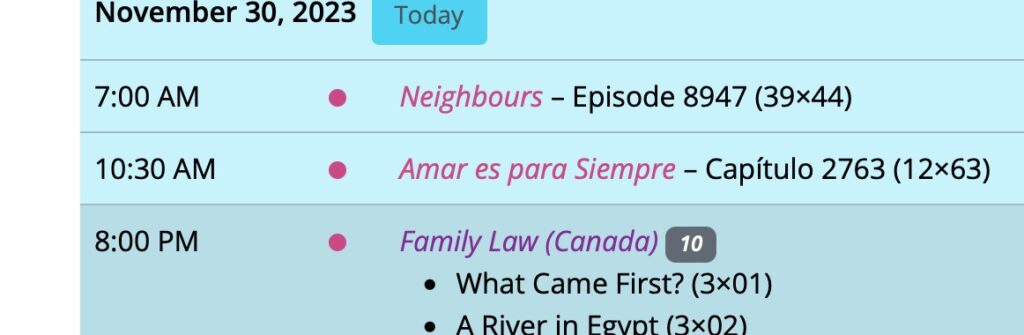
Sometimes this doesn’t happen because TVMaze uses a slightly different name than we do.
For example, in the above screenshot we have Family Law (Canada), because there was a show with the same name, staring Tony Danza, back in 1999. However, if you look at TVMaze’s entry for Family Law, they use the name … Family Law.
In order to adjust for this, we have a “TVMaze Names” feature!

On that feature, you have the ability to add a new show. For Family Law, we give it the title as it’s used on TVMaze (Family Law), and then you have the option to connect it to a show!
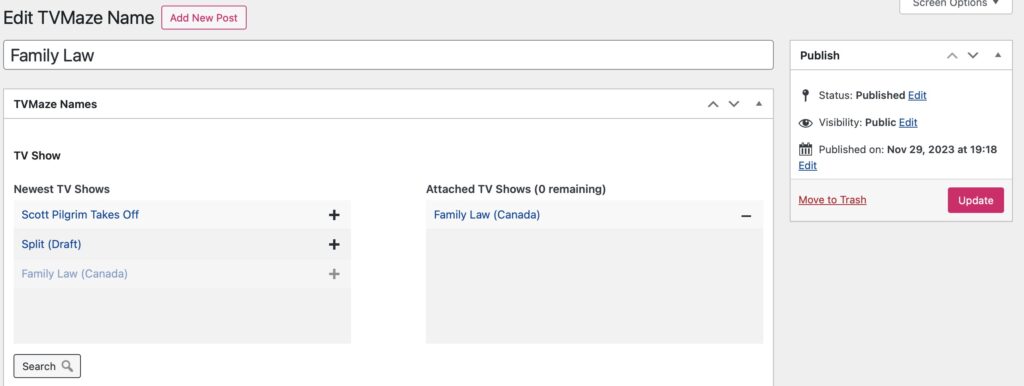
Add the show, click publish (or update), and the calendar will magically link to the right show.